Google has expanded the ‘Help me write shortcut’ to Gmail on the web to help users write error-free emails. The tech giant has also introduced a Polish shortcut on the web and mobile to help users write and refine their emails even faster.
The ‘Help me write shortcut’ will appear in the body when the email draft is empty. This shortcut will also help users formalize, shorten, or elaborate the text, as per Google’s blog post.
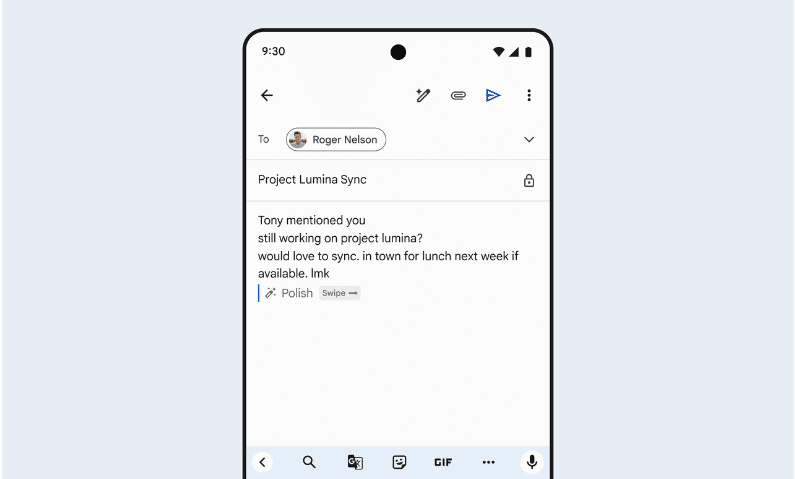
The ‘Polish shortcut’ will appear for drafts with more than 12 words. By pressing the shortcut text or typing Ctrl+H, users will get a polished email output.
 Also readGoogle To Replace Google Assistant With Gemini On Android Smartphones
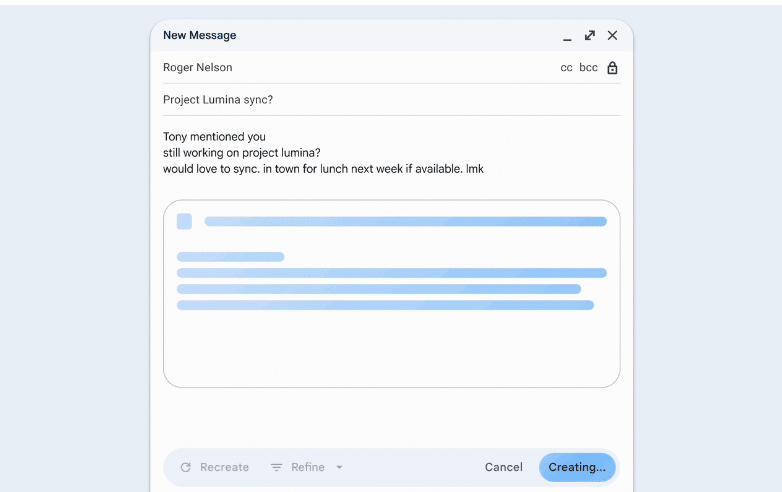
Google first announced the ‘Help me write’ and ‘Refine my draft shortcuts’ on mobile in August. On Mobile, this shortcut will continue to appear on the email body when a draft is empty, while the ‘Polish’ shortcut will now appear for drafts with 12 or more words. Swiping on the shortcut text will automatically display a polished email output.
This feature is available for Google Workspace customers with the Gemini Business and Enterprise add-on, Gemini Education and Education Premium add-on, and Google One AI Premium.
Google rolled out this feature for its users on October 28 but it may take up to 15 days for the feature to become visible to everyone, as per the company.
See more TechInformer stories on Google
Add us as a preferred source and our stories will show up more often in your Top Stories.
Add TechInformer as a preferred source on Google