
Social icon element need JNews Essential plugin to be activated.
TechInformer
Follow on Google
  • Latest
  • AI
  • Smartphones
  • Gadgets
  • Apps
  • Telecom
  • Startups
  • Security
  • Gaming
  • Reviews
  • How To
No Result
View All Result
  • Latest
  • AI
  • Smartphones
  • Gadgets
  • Apps
  • Telecom
  • Startups
  • Security
  • Gaming
  • Reviews
  • How To
No Result
View All Result
TechInformer
No Result
View All Result
Home Telecom

Reliance Jio Launches JioTag Go: Features, Price & Everything You Need To Know!

Users can attract the tracker to keys, purses, luggage, gadgets, pets, etc. This global connectivity allows users to locate lost items with ease.

by TechInformer Desk
December 19, 2024
in Telecom, Launches, News
Reading Time: 2 mins read
A A
Reliance Jio Launches JioTag Go: Features, Price & Everything You Need To Know!
2 min readAdd TechInformer as a preferred source on Google

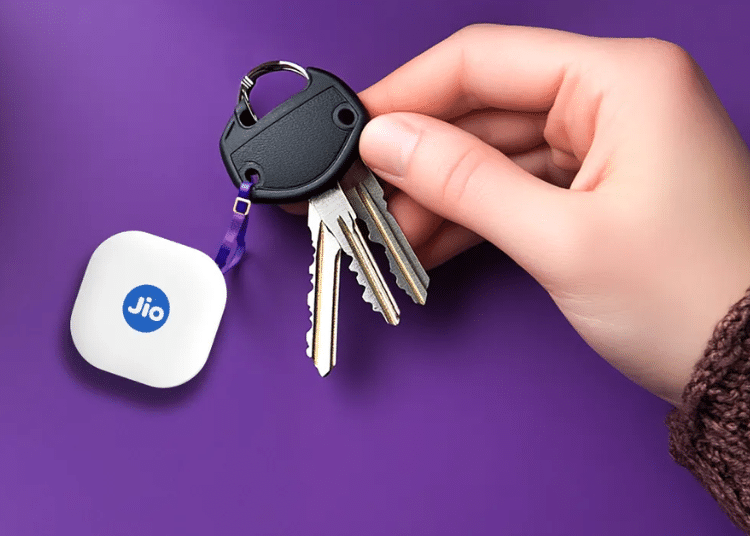
Reliance Jio has launched JioTag Go, a Bluetooth-enabled tracker, in India. It is India’s first Android-compatible tagging device with Google’s Find My Device Network. The device offers a battery life of up to one year. 

JioTag Go Features

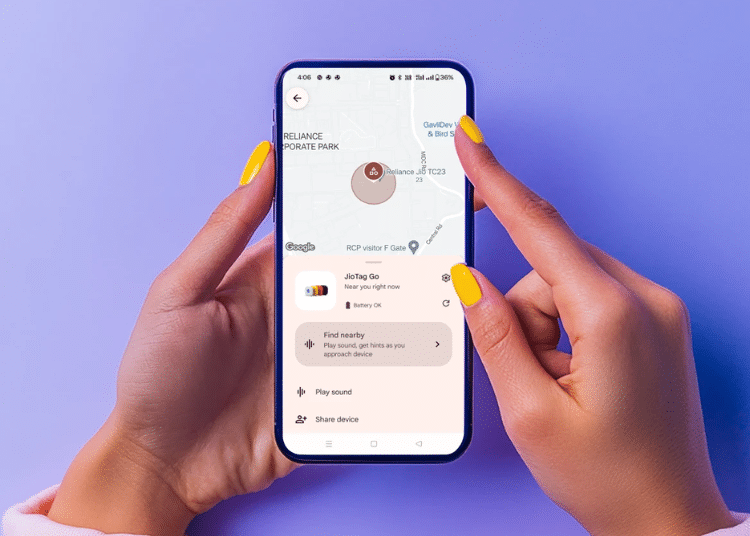
The JioTag Go connects with Google’s Find My Device app, which is available in the Play Store. Users can attach the tracker to keys, purses, luggage, gadgets, pets, etc. This global connectivity allows users to locate lost items with ease. 

In ‘Lost Mode’ the device notifies the user if it is detected within the network. If the lost device is within the Bluetooth range, users can track it by tapping the ‘Play Sound’ option on the Find My Device app. The associated JioTag Go will emit a beeping sound, making it easy to find the misplaced item.

How to Stop Spam Calls in India: DND, 1909 and TRAI AppAlso readHow to Stop Spam Calls in India: DND, 1909 and TRAI App
JioTag Go

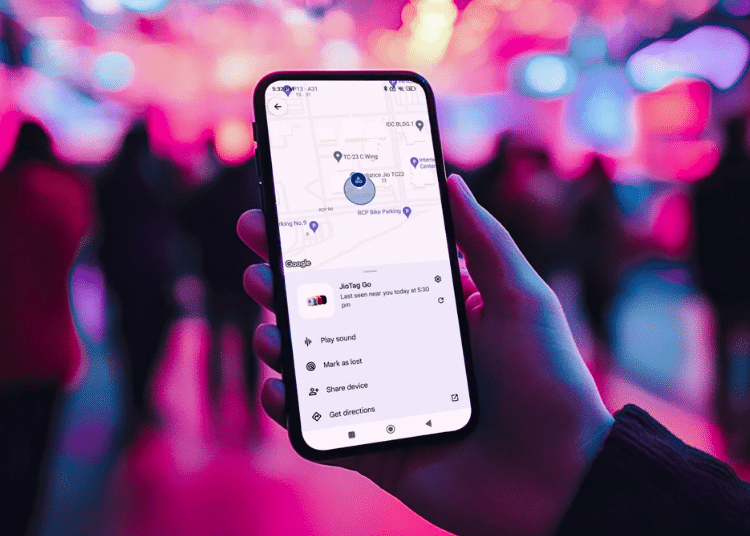
If it is not in the Bluetooth range, Google’s Find My Device network will detect the last location of the JioTag Go. Users can locate the misplaced item by following the map displayed in the app when they select the ‘Get Directions’ option.

JioTag Go will connect to the user’s device automatically when it comes in Bluetooth range, allowing users to use the ‘Play Sound’ feature to locate the tracker.
JioTag Go

The tracker is compatible with Android smartphones running Android 9 or later. It uses Bluetooth 5.3 connectivity. It comes with a replaceable CR2032 battery. Additionally, it does not require a SIM card to operate.

JioTag Go Availability & Price

JioTag Go is available through Amazon, and JioMart e-store, as well as Reliance Digital and My Jio stores. It comes in four color options: black, orange, white, and yellow. The device comes with a price tag of Rs 1,499.

Found this useful?

Share it with your friends

See more TechInformer stories on Google

Add us as a preferred source and our stories will show up more often in your Top Stories.

Add TechInformer as a preferred source on Google
WhatsAppLinkedInXFacebookEmail
Tags: Find My DeviceJioTag GoReliance Jio
Next Post
Users Can Now Access ChatGPT Via WhatsApp & Phone Calls

Users Can Now Access ChatGPT Via WhatsApp & Phone Calls

Social icon element need JNews Essential plugin to be activated.

Navigation

  • Latest
  • AI
  • Smartphones
  • Gadgets
  • Apps
  • Telecom
  • Startups
  • Security
  • Gaming
  • Reviews
  • How To

Information

  • About Us
  • Contact Us
  • Privacy Policy

©2026 Copyright Tech Informer. RVCJ Digital Media Pvt Ltd

TechInformer

Tech news, smartphones, AI and gadgets in India, explained simply.

Topics

  • Latest
  • AI
  • Smartphones
  • Gadgets
  • Apps
  • Telecom
  • Startups
  • Security
  • Gaming
  • Reviews
  • How To

Company

  • About us
  • Contact us
  • Privacy policy
  • Advertise with us

Follow us on Google

Add TechInformer as a preferred source and see our stories more often in Top Stories.

Add as preferred source

© 2026 Tech Informer. RVCJ Digital Media Pvt Ltd.

Latest news · Sitemap

TECHINFORMER
No Result
View All Result
  • Latest
  • AI
  • Smartphones
  • Gadgets
  • Apps
  • Telecom
  • Startups
  • Security
  • Gaming
  • Reviews
  • How To

©2026 Copyright Tech Informer. RVCJ Digital Media Pvt Ltd