

TechInformer
Follow on Google
  • Latest
  • AI
  • Smartphones
  • Gadgets
  • Apps
  • Telecom
  • Startups
  • Security
  • Gaming
  • Reviews
  • How To
No Result
View All Result
  • Latest
  • AI
  • Smartphones
  • Gadgets
  • Apps
  • Telecom
  • Startups
  • Security
  • Gaming
  • Reviews
  • How To
No Result
View All Result
TechInformer
No Result
View All Result
Home Smartphones

5 Emergency iPhone Features You Should Know About

by TechInformer Desk
September 3, 2024
in Smartphones, Apple
Reading Time: 3 mins read
A A
5 Emergency iPhone Features You Should Know About
3 min readAdd TechInformer as a preferred source on Google

The iPhone has been one of the most popular smartphones globally. It was launched as a revolutionary new device to make your life easier and it also came with an added status quo. In this article, we will talk about 5 emergency iPhone features that are life-saving.

Owning a smartphone and that too an iPhone has become a necessity in many parts of the world. People have become used to the user interface so much that a new launch of the latest iPhone has become a rage all over the world.

An iPhone launch event is one of the most followed and talked about events in the world of smartphones and other electronic devices. People wait eagerly in long queues to buy the latest release and upgrade themselves with the trend.

Vivo V80 Price in India Starts at Rs 62,999: Specs, Sale DateAlso readVivo V80 Price in India Starts at Rs 62,999: Specs, Sale Date

However, there are many features in your iPhone that you may not be aware of. Many a time, people have been informed of their smartphone’s hidden features through an interactive real or YouTube short showing exactly what the gadget is capable of.

Apart from taking some killer selfies, these smart gadgets have many interesting features that may come in handy during an emergency.

Here Are 5 Emergency iPhone Features:

1. Emergency SOS
5 Emergency iPhone Features You Should Know About

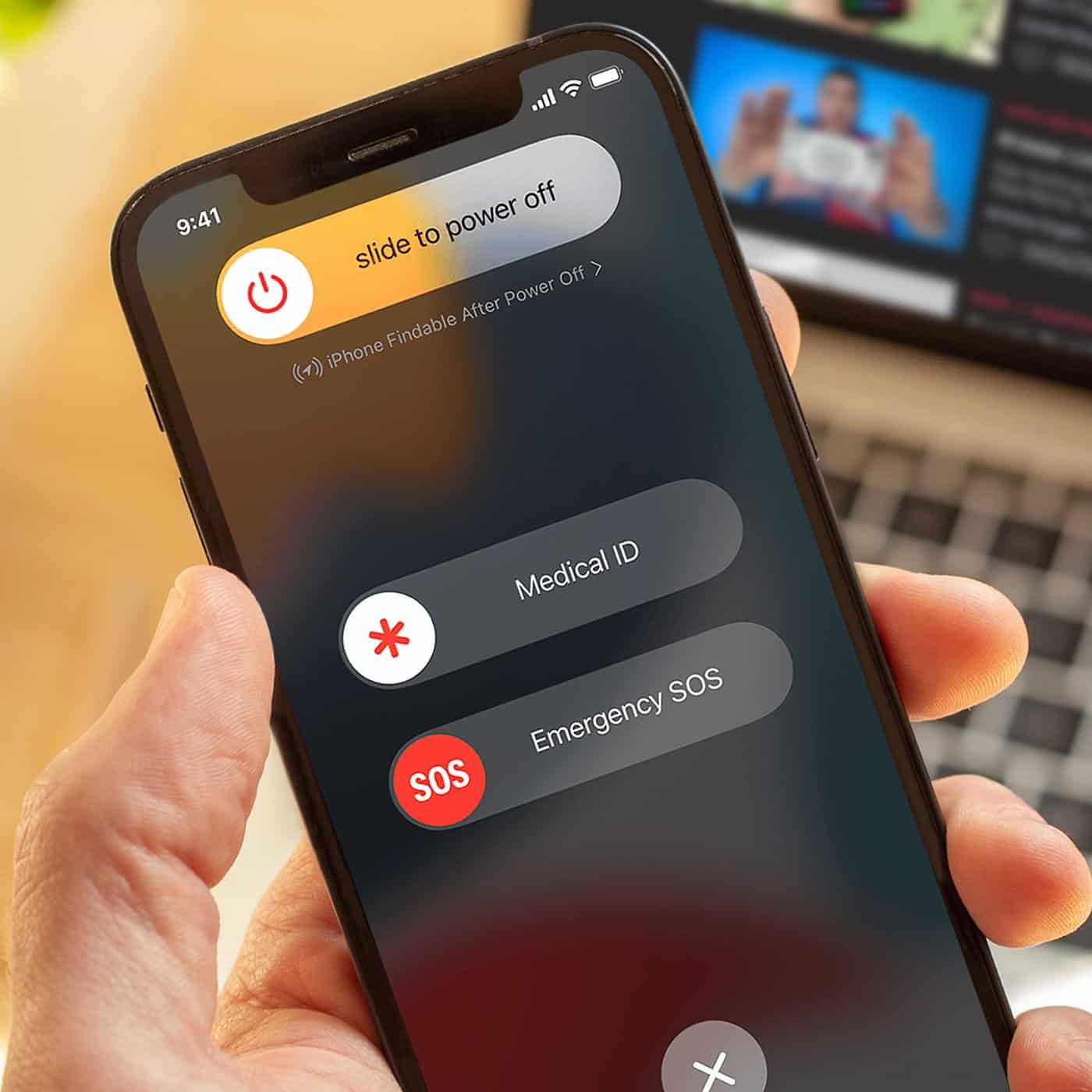
During a critical situation where your phone has no internet connection or where you are unable to dial the emergency number, calling for an emergency becomes challenging and stressful. But with an iPhone, you can call emergency numbers without actually calling them.

Though the process is different in various countries, the most basic way is to press the side button and volume button together for a few seconds. An emergency SOS pop-up will appear on the screen and you just need to slide it. An emergency call will be placed from your phone automatically.

2. Emergency SOS via Satellite
5 Emergency iPhone Features You Should Know About

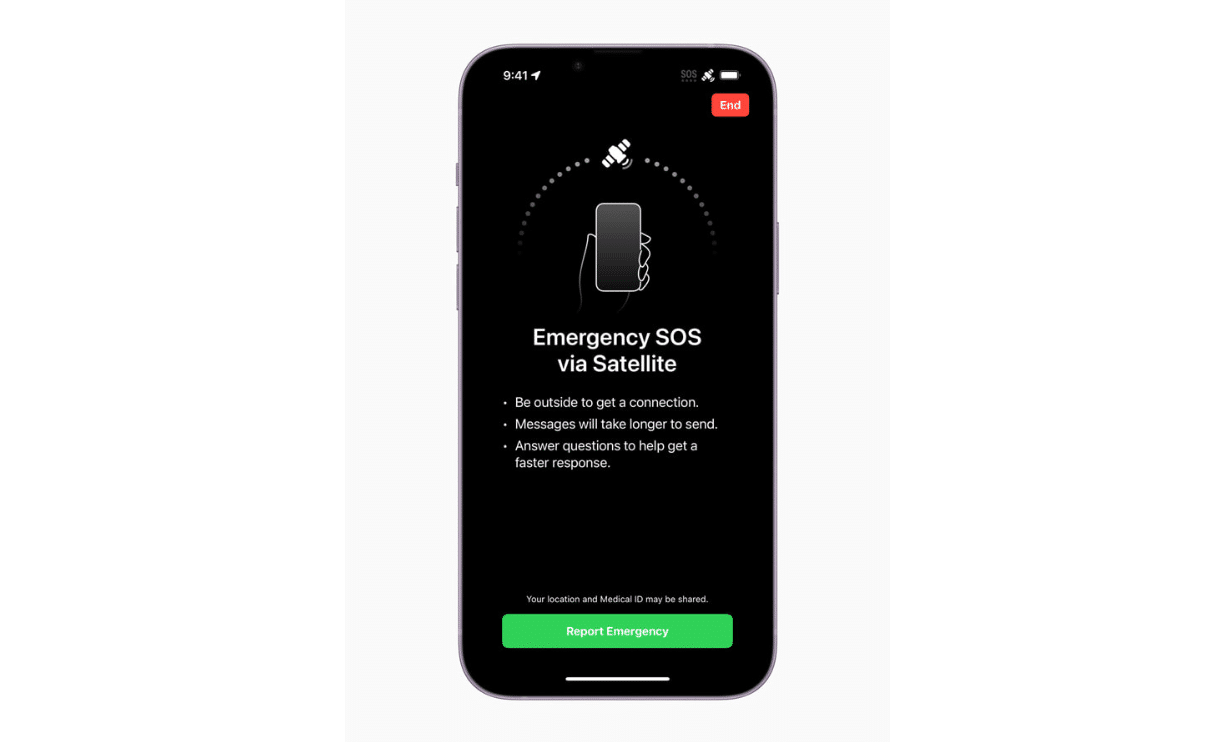
This feature is available in iPhone 14 and 15 with iOS 16.1 or later versions only. It allows you to make emergency SOS calls in case of no network or connectivity. To use this feature, go to settings then Emergency SOS, and then scroll to the bottom where you will see Emergency SOS via the Satellite option.

To make you aware of how it would work in real-time, Apple allows you to take a demo of this feature.

3. Emergency Contact
5 Emergency iPhone Features You Should Know About

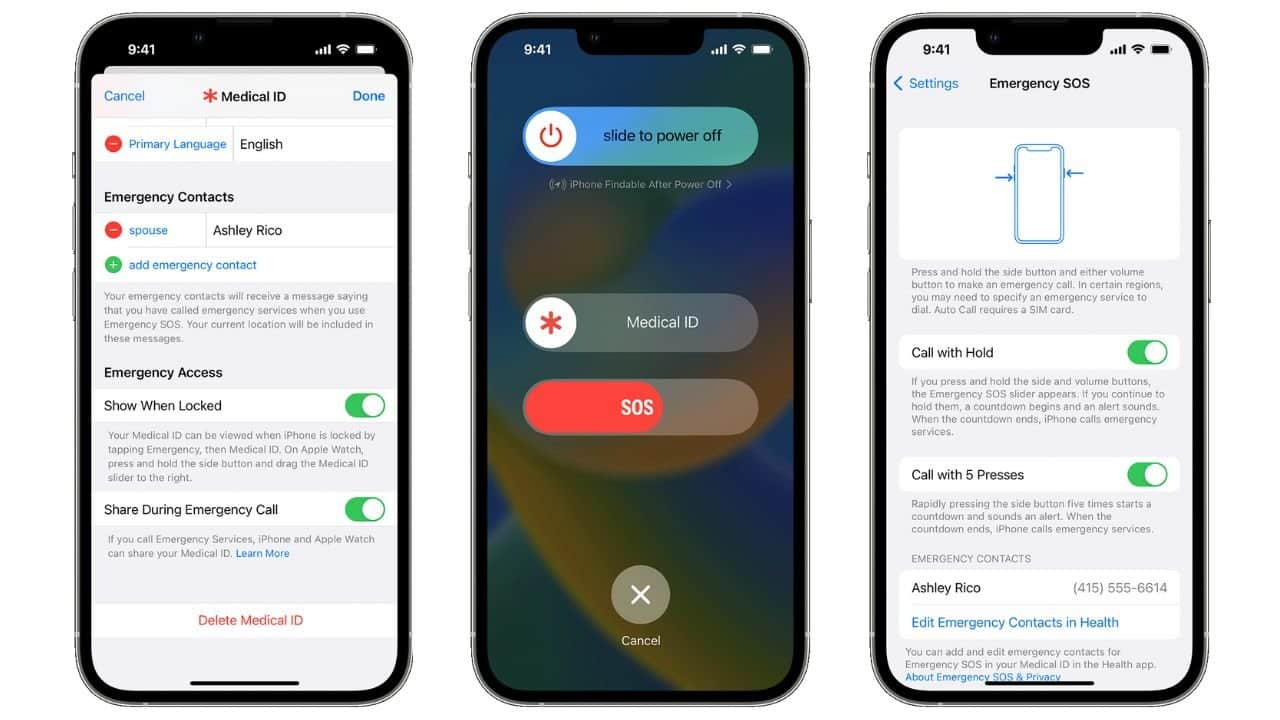
This feature is available not just in your iPhone but in your Apple Watch Series 8. In case you are in a crash, the accelerometer and gyroscope sensors will inform your emergency contact of your location and alert them of your accident. However, there have been instances of false alarms where an alert was sent when there was no actual emergency. Nevertheless, this feature has proven to be a lifesaver in many situations.

4. Driving Mode


Apple has always had a ‘Do Not Disturb’ feature that lets you work or sleep in peace without getting bothered by constant notifications. Apple has now launched a new feature that enables you to Drive with a focus on ensuring safety on the road. This mode gets switched on when your phone detects that you are driving by using data from your accelerometers and Bluetooth activity. When activated, it will mute your notifications and send an automated text message informing the sender that you are currently driving and unable to respond. 

5. Medical ID
5 Emergency iPhone Features You Should Know About

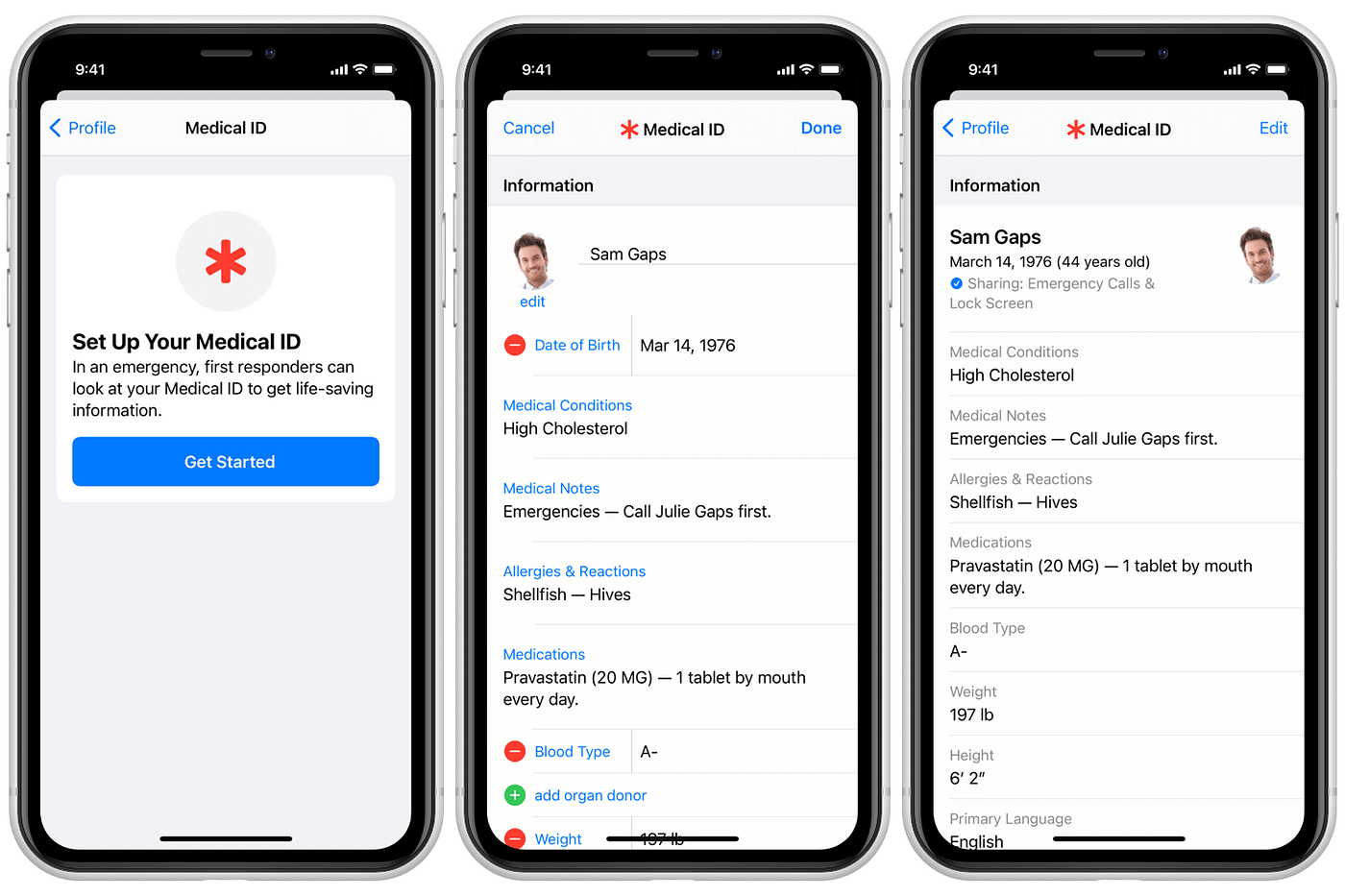
Apple lets you feed all your medical history in the health app in case of an emergency. In an accident where you are unresponsive and unable to inform the medical experts of your history, this app can be a lifesaver as it will be displayed on your screen with every minute medical detail of your life. When an SOS is sent from your phone, this “Medical ID” will also be shared.

Apple smartphones may be expensive but when you look at the technical excellence that these gadgets have, they become more of a necessity than a luxury.

Also Check: 5 Ways To Prevent Your SmartPhone From Overheating In Summer

Found this useful?

Share it with your friends

See more TechInformer stories on Google

Add us as a preferred source and our stories will show up more often in your Top Stories.

Add TechInformer as a preferred source on Google
WhatsAppLinkedInXFacebookEmail

Related Posts

Apple TV 4K streaming box with Siri Remote (earlier model shown)
Gadgets

Apple TV 4K (2026) Launched: India Price Rs 39,900, A19, Siri AI

October 13, 2026
Apple MacBook Pro laptop on a desk, representing Apple’s upcoming Mac launches in late 2026
Gadgets

Upcoming Apple Launches 2026: New Macs, iPad mini and iPhone 18

October 13, 2026
Vivo smartphone with a triple rear camera
Smartphones

Vivo V80 Price in India Starts at Rs 62,999: Specs, Sale Date

October 13, 2026
OnePlus Android 16 Beta 2 Update Reportedly Adds Custom Battery Charging Limit Feature
Smartphones

OnePlus Android 16 Beta 2 Update Reportedly Adds Custom Battery Charging Limit Feature

April 14, 2025
Oppo Find X8 Ultra Set To Launch In China, Specifications & Design Leaked
Smartphones

Oppo Find X8 Ultra Set To Launch In China, Specifications & Design Leaked

April 9, 2025
Apple’s Foldable iPhone May Offer iPad-Like Display Aspect Ratio & Support iPad Apps, Tipster Says
Smartphones

Apple’s Foldable iPhone May Offer iPad-Like Display Aspect Ratio & Support iPad Apps, Tipster Says

April 2, 2025
Next Post
How to Replace Google Assistant with Gemini AI on Your Android Phone

5 Emergency Features In Android Phone You Should Know About

Popular

Samsung Expands One UI 7 Rollout By Adding Galaxy S22, Galaxy S21 Series & More Devices

Samsung Expands One UI 7 Rollout By Adding Galaxy S22, Galaxy S21 Series & More Devices

March 24, 2025
Government Launches ‘Sanchar Saathi Mobile App’ To Strengthen Telecom Security & Empower Citizens

Government Launches ‘Sanchar Saathi Mobile App’ To Strengthen Telecom Security & Empower Citizens

January 20, 2025
Tecno Megapad 11 With 11-inch IPS LCD & AI-powered features Launched In Ghana

Tecno Megapad 11 With 11-inch IPS LCD & AI-powered features Launched In Ghana

December 5, 2024
Perplexity Rolls Out Deep Research Tool To Help Users Analyze Complex Topics

Perplexity Rolls Out Deep Research Tool To Help Users Analyze Complex Topics

February 17, 2025
Samsung Galaxy S25 Series To Get Under Display Camera & 200 MP Camera

Samsung Galaxy S26 Series To Get Under Display Camera & 200 MP Camera

February 4, 2025
Asus Launches ROG Flow Z13 (2025): 13.4-Inch 2.5K Display, Ryzen AI Max+ 395 CPU & More!

Asus Launches ROG Flow Z13 (2025): 13.4-Inch 2.5K Display, Ryzen AI Max+ 395 CPU & More!

February 26, 2025
Facebook Instagram Twitter LinkedIn Youtube

About Tech Informer

Focused on keeping new-age audiences informed about the ever-evolving world of technology, Tech Informer is the one-stop destination if you enjoy reading about the ongoing developments in the Tech world.

Navigation

  • Latest
  • AI
  • Smartphones
  • Gadgets
  • Apps
  • Telecom
  • Startups
  • Security
  • Gaming
  • Reviews
  • How To

Information

  • About Us
  • Contact Us
  • Privacy Policy

©2026 Copyright Tech Informer. RVCJ Digital Media Pvt Ltd

TechInformer

Tech news, smartphones, AI and gadgets in India, explained simply.

Topics

  • Latest
  • AI
  • Smartphones
  • Gadgets
  • Apps
  • Telecom
  • Startups
  • Security
  • Gaming
  • Reviews
  • How To

Company

  • About us
  • Contact us
  • Privacy policy
  • Advertise with us

Follow us on Google

Add TechInformer as a preferred source and see our stories more often in Top Stories.

Add as preferred source

© 2026 Tech Informer. RVCJ Digital Media Pvt Ltd.

Latest news · Sitemap

TECHINFORMER
No Result
View All Result
  • Latest
  • AI
  • Smartphones
  • Gadgets
  • Apps
  • Telecom
  • Startups
  • Security
  • Gaming
  • Reviews
  • How To

©2026 Copyright Tech Informer. RVCJ Digital Media Pvt Ltd