

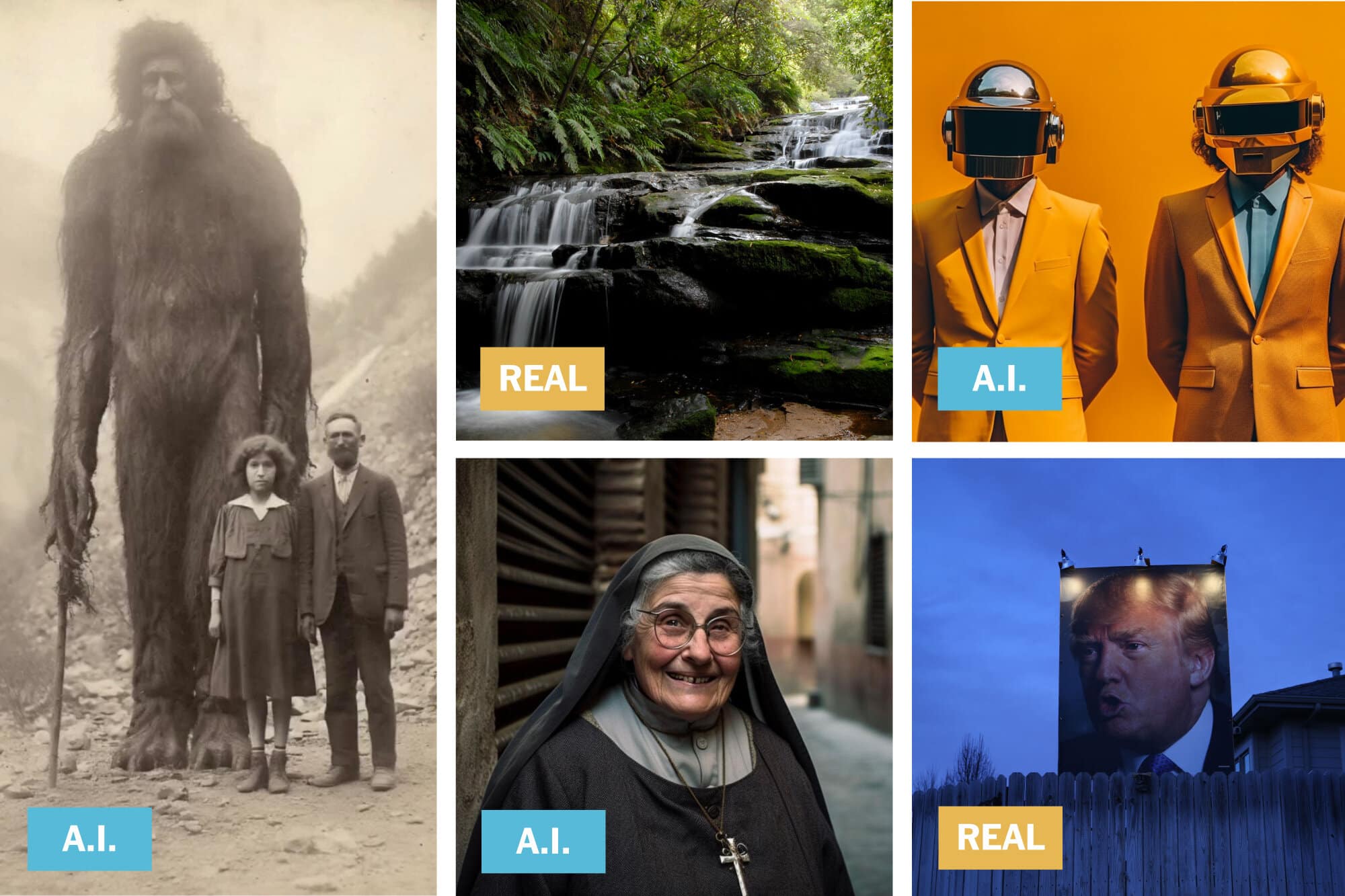
With the Artificial intelligence image generation becoming so advanced, it has been nearly impossible to separate reality from art. You can enter anything into these AI tools and a realistic image of your imagination will pop up no matter how bizarre it appears. Let’s find out how to detect AI-generated images.
While the AI image generation tools have been a blessing, it has also become a challenge to find authenticity. From Trump’s fake arrest to the Pope’s all-white puffer jacket, these AI-generated images are doing rounds all over the internet leaving many confused.
The hoax culture is becoming way too much and it has become crucial to distinguish the fake from the real one.
 Also readChatGPT Go Free Offer Ending in India: What to Do Now
Here are some of the ways through which you can easily detect AI-generated images.
Detect AI-Generated Images:
Reverse Image Search
The easiest way to determine the authenticity of an image is by doing a reverse search on Google. If an image is going viral on social media like that of Trump getting arrested, you can always do an image search and if the image is authentic and verified then it will pop up on different news websites as well. If no other legitimate website is publishing the image, it is most likely a hoax.
Zoom In For Inconsistencies
The AI images are generated by piecing together various images available online. Therefore it becomes easy to spot an AI image if you just zoom in. From stray pixels to oddly shaped objects and outlines, you will be able to spot the faults.
Also, the AI generators do well with the foreground construction of the image and mostly they are unable to reconstruct a perfect background of an image.
Use AI Detection Tools
There are many AI Detection tools available that help you verify the image authenticity. Just drag and drop the image you wish to verify and these various tools will help you authenticate the legitimacy of the images after a thorough analysis. Some tools include Winston AI, TinEye, Forensic Architecture, Deepware Scanner, Sensity AI, and Reality Defender

AI has been a blessing and a curse in many ways. These AI detection tools will play a crucial role in ensuring that the tech is not misused and we can always tell the fake from the real.
Also Check: 12 Best GPTs for ChatGPT to Use in 2024
See more TechInformer stories on Google
Add us as a preferred source and our stories will show up more often in your Top Stories.
Add TechInformer as a preferred source on Google