Key takeaways
- The iPhone Duo runs the same iPhone apps from the regular App Store on iOS 27.1. There is no separate store.
- iPad-only apps do not run on the iPhone Duo, even on the 7.6-inch inner screen.
- Apps not updated for iOS 27 open in a boxed view with black bars on the inner display.
- Apple’s own apps, Netflix, Zoom and Slack are already optimised for the inner screen.
- Split View runs two apps side by side; Apple Pencil (USB-C) support comes later in 2026.
iPhone Duo apps are the same as the apps on any other iPhone. It uses iOS 27.1 and downloads apps from the regular App Store, so WhatsApp, Instagram, UPI apps and games all work. What changes is how they look on the 7.6-inch inner screen: apps not yet updated by their developers open in a boxed view with black bars on the sides.
There is no separate App Store for the iPhone Duo, and it does not run iPad apps. Below is how apps behave on both screens, which apps are already optimised, what Split View can do, and what to expect in the first few months after the phone goes on sale in India on 23 October 2026.
Are iPhone Duo apps the same as iPhone apps?
Yes. The iPhone Duo is an iPhone, not a small iPad. It runs iOS 27.1, signs in with the same Apple Account and restores from an iCloud backup of your current iPhone. All the apps you have bought or downloaded before will install on it.
 Also readiPad mini (A20 Pro) Price in India Starts at Rs 82,900
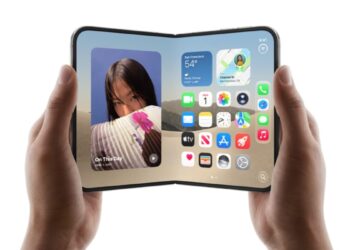
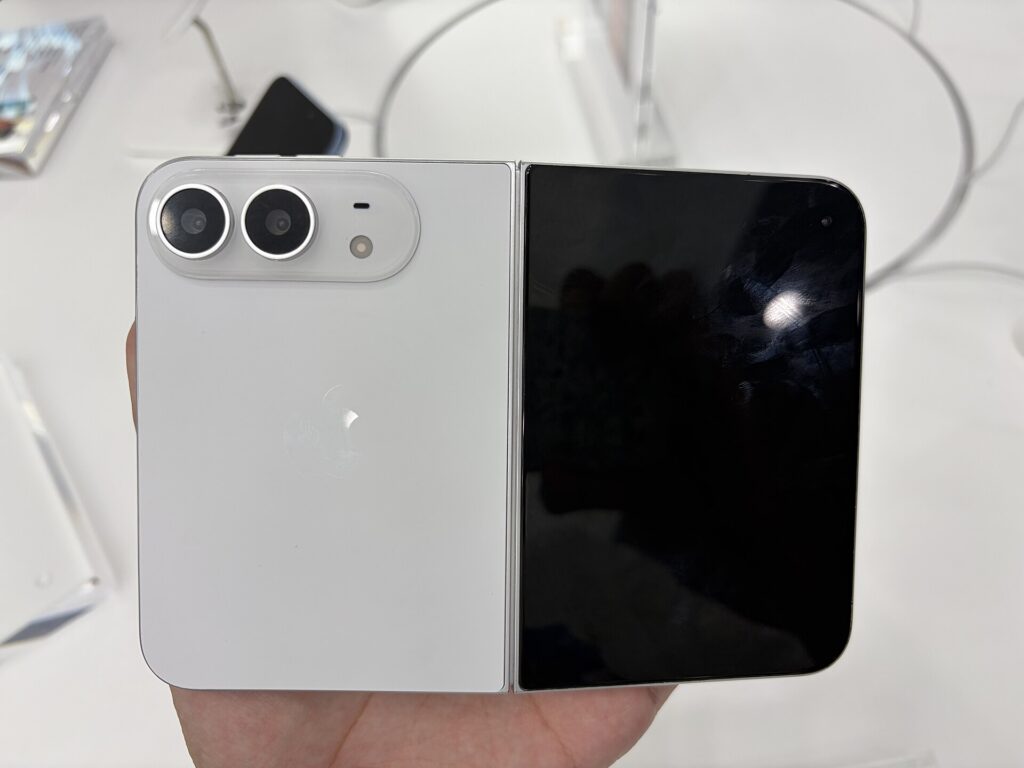
The 5.4-inch outer display works much like a regular, slightly wide iPhone screen. Apps open there in their normal phone layout. The difference shows up when you unfold the phone and use the larger 7.6-inch inner display, which is close to a 4:3 shape rather than the tall shape of a normal iPhone.
Can the iPhone Duo run iPad apps?
No. The iPhone Duo uses the iPhone version of every app. iPad-only apps from the App Store will not install, and apps that have both versions will download the iPhone version.
The inner display does share some layout traits with an iPad, so developers can reuse parts of their iPad design when they update their iPhone app. That still needs an app update. It does not happen on its own.
Why do some apps show black bars on the iPhone Duo?
Apps built before Apple released the iOS 27 software kit are not aware of the folding screen. On the inner display, Apple keeps them in a portrait-shaped box with black bars on the left and right, so the layout does not stretch or break. 9to5Google pointed out that this is the same letterboxing Apple had criticised on Android foldables.
Once a developer rebuilds an app with the newer iOS 27.1 tools, it can fill the whole inner screen, show a sidebar, and switch between one and two columns when you open or close the phone. Apps built with the iOS 27 tools sit in between, using more of the screen but not all of it.
| App status | Outer screen (5.4-inch) | Inner screen (7.6-inch) |
|---|---|---|
| Not updated for iOS 27 | Normal phone layout | Boxed, with black bars on the sides |
| Built with iOS 27 tools | Normal phone layout | Uses more of the screen, not fully edge to edge |
| Built with iOS 27.1 tools | Normal layout with updated bars | Full screen, can show sidebar and two columns |
| iPad-only apps | Not available | Not available |
Which apps are optimised for the iPhone Duo?
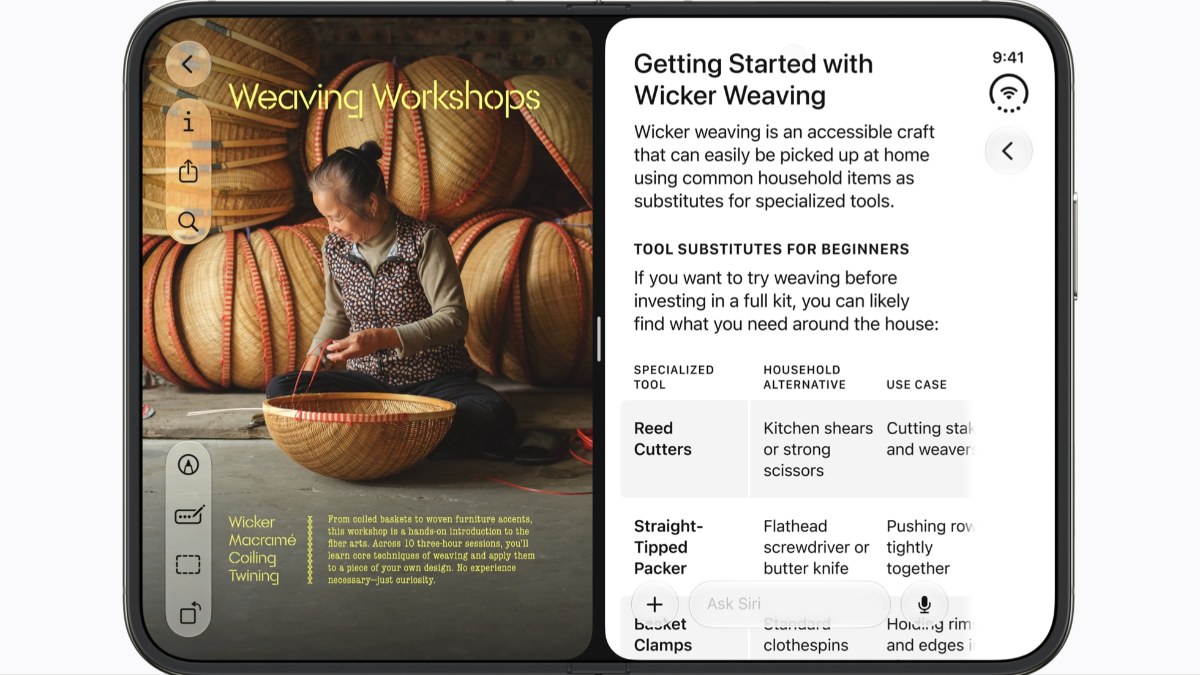
Apple’s own built-in apps are ready on day one and use the full inner screen. Apple also showed Netflix, Zoom and Slack running full screen on the inner display at its September launch.
Popular apps in India were not on Apple’s list of optimised iPhone Duo apps. WhatsApp, Instagram, YouTube, Google Pay, PhonePe, Paytm, Swiggy, Zomato and banking apps will work from the start, but they may appear in the boxed view until their developers ship an update. Large developers usually update quickly for new Apple screens, but there is no fixed date.
Games are a special case. Apple’s design guidelines ask games to fill the display in every pose, with letterboxing only as a last resort. Many games will need an update to make full use of the near-square inner screen.
How does Split View work on the iPhone Duo?
Split View lets you run two iPhone Duo apps side by side on the inner display. You can, for example, keep WhatsApp on one side and Safari on the other, or open two Safari windows at once. Apple also lets you save app pairs, so a combination you use often opens together with one tap.
Split View is limited to two apps. Samsung’s Galaxy Z Fold 8 allows up to four windows plus floating apps, so Android foldables still offer more multitasking. Our iPhone Duo vs Galaxy Z Fold 8 comparison covers this in more detail.
What happens when you open or close the iPhone Duo?
Apps resize when you unfold or fold the phone. An app open on the outer screen moves to the inner screen when you open the phone, and the layout changes to suit the bigger display. Updated apps can switch from a single list to a list plus detail view, such as an inbox on the left and an email on the right.
The phone also supports half-folded poses, which Apple calls book and tabletop. In tabletop mode, the phone stands on its lower half like a small laptop, which is useful for video calls or watching videos hands-free. Apps need to be updated to make use of these poses properly.
Does the iPhone Duo support Apple Pencil?
Apple says Apple Pencil (USB-C) support for the iPhone Duo will arrive later in 2026 through a software update. The Apple Pencil Pro is not compatible. Until then, use your fingers on the inner screen and avoid sharp objects, as the folding display is softer than glass. Our guide to iPhone Duo repair cost in India explains why that matters.
Is there anything iPhone Duo apps cannot do?
- No iPad apps: Only iPhone apps install, even on the big screen.
- Two apps at a time: Split View supports two apps, not three or four.
- No Face ID: The iPhone Duo uses Touch ID on the side button. Apps that use Face ID for login, such as banking apps, use Touch ID instead through the same system feature.
- eSIM only: There is no physical SIM tray. Jio, Airtel and Vi all support eSIM in India.
- Boxed apps for now: Expect some apps to show black bars on the inner screen for the first few weeks or months.
Should you wait for apps to be updated before buying?
Not necessarily. Every app works from day one on the outer screen, and Apple’s own apps plus several big names already use the inner screen fully. If most of your time goes into WhatsApp, Instagram and UPI apps, the boxed view on the inner screen is a cosmetic issue, not a blocker.
If you mainly want the big screen for reading, streaming or spreadsheets, check whether your key apps have been updated before you buy. App Store release notes usually mention iPhone Duo or foldable support once it is added. For pricing, see our iPhone Duo price in India and EMI guide, and for supported models on the new software, read our iOS 27 update guide.
Sources: Apple Newsroom, 9to5Google, Adapty, Tom’s Guide.
Frequently asked questions
Does the iPhone Duo have different apps?
No. The iPhone Duo runs iOS 27.1 and uses the same App Store as other iPhones. All iPhone apps, including WhatsApp, Instagram and UPI apps, install and work. Some apps look different on the inner screen until developers update them for the foldable display.
Can I use iPad apps on the iPhone Duo?
No. The iPhone Duo installs only the iPhone version of apps. iPad-only apps are not available on it, even though the 7.6-inch inner display is close to a small tablet in size. Developers can update their iPhone apps to use the larger screen better.
Why do apps have black bars on the iPhone Duo?
Apps built before the iOS 27 developer tools do not know about the folding screen. Apple shows them in a portrait-shaped box with black bars on the inner display so the layout does not break. The bars go away once the developer rebuilds the app with the iOS 27.1 tools.
Does WhatsApp work on the iPhone Duo?
Yes. WhatsApp installs and works normally on both screens of the iPhone Duo. On the inner screen it may appear in a boxed view with black bars until Meta releases an update optimised for the foldable display. Chats, calls and backups work as on any iPhone.
How many apps can run at once on the iPhone Duo?
The iPhone Duo supports Split View with two apps side by side on the inner display. You can also open two Safari windows and save app pairs. Samsung’s Galaxy Z Fold 8 supports up to four windows, so it offers more multitasking.
See more TechInformer stories on Google
Add us as a preferred source and our stories will show up more often in your Top Stories.
Add TechInformer as a preferred source on Google